


Turn the places you saved into a travel itinerary
Gezzio is a free iPhone app that finds the places in an Instagram, TikTok or YouTube post, or on a web page, and adds them to your trip. Share the link to Gezzio from the share menu or paste it into the app. Gezzio finds the places in the post, and you choose which ones go into your route.
Last updated:
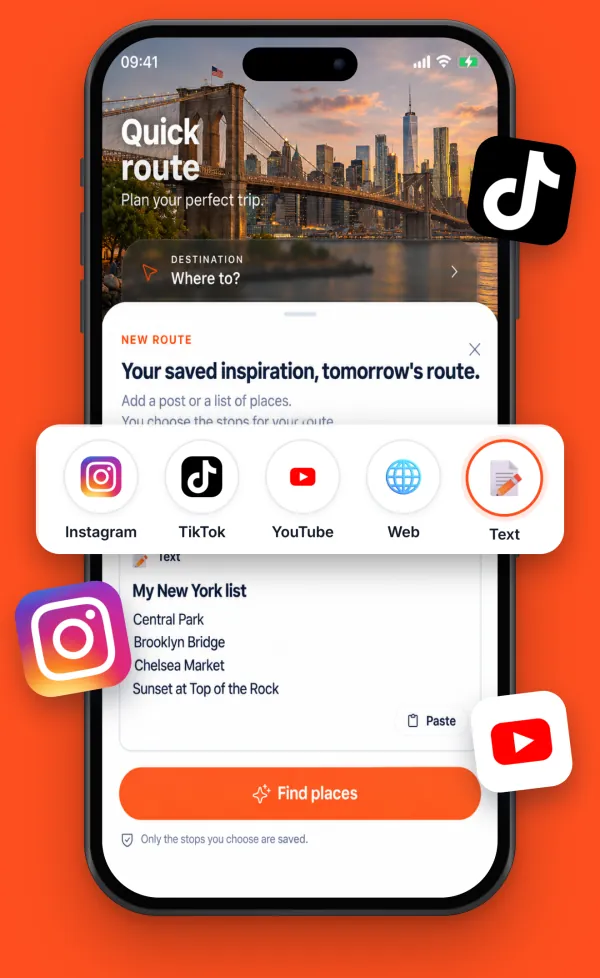
From link to route in four steps
Send the link
Open the share menu in Instagram, TikTok, YouTube or Safari and choose Gezzio. You can also paste the link into the new route screen, or type the places you want to visit as text.
Give permission
Cloud AI features ask for explicit permission before the first data transfer. With your permission, Gezzio analyzes the accessible text, images and video or audio in the link.
Choose the places
Gezzio lists the places it found. You choose which stops to add to your route.
See them in your route
The places you chose are added to your trip plan. See the stops on the map, open route details and adjust the plan.
Why it helps
Saving travel videos is easy; using them on the trip is hard. A saved folder does not show which neighbourhood a place is in, which day to go, or how far it is from your other stops.
Gezzio connects the places you saved to a plan. Sights, meal stops, weather context and transport choices sit in the same route, so the post that inspired you becomes part of the trip.
Which sources work?
Instagram posts and Reels, TikTok videos, YouTube videos, public web pages and place lists you write yourself. Gezzio can only analyze accessible content; posts from private accounts and pages behind a login cannot be read.
Good to know
Finding places from a link needs an internet connection. A venue that is not clearly named or shown in the post may not be found, so check the list before you add it to your route. You can withdraw cloud AI permission in Settings at any time.
Frequently asked questions
Is Gezzio free?
Yes. Gezzio is free to download from the App Store for iPhone.
How does Gezzio find places without me watching the video again?
With your permission, Gezzio uses AI to analyze the accessible text, images and video or audio in the link and lists the places it mentions. You decide which places go into your route.
Can I type my own list instead of a link?
Yes. Choose the text option on the new route screen and type the places you want to visit, or paste a note.
Is Gezzio on Android?
The Android version is in testing. You can join the Android test list on the home page.
Your next trip. Uniquely yours.
Free on iPhone. The Android version is in testing.